Subject separation
The app inspects a chosen image before rendering. When a foreground mask is unreliable, it reports low quality instead of presenting a weak poster as finished.
FIELD STAMP
An iOS prototype that turns a selected photo into a vintage explorer's notebook composition while keeping the original image intact.
MVP · Quality validation
On-device image flow
The prototype checks image quality before it composes the poster, then preserves the original photograph while generating an export from the selected layout.
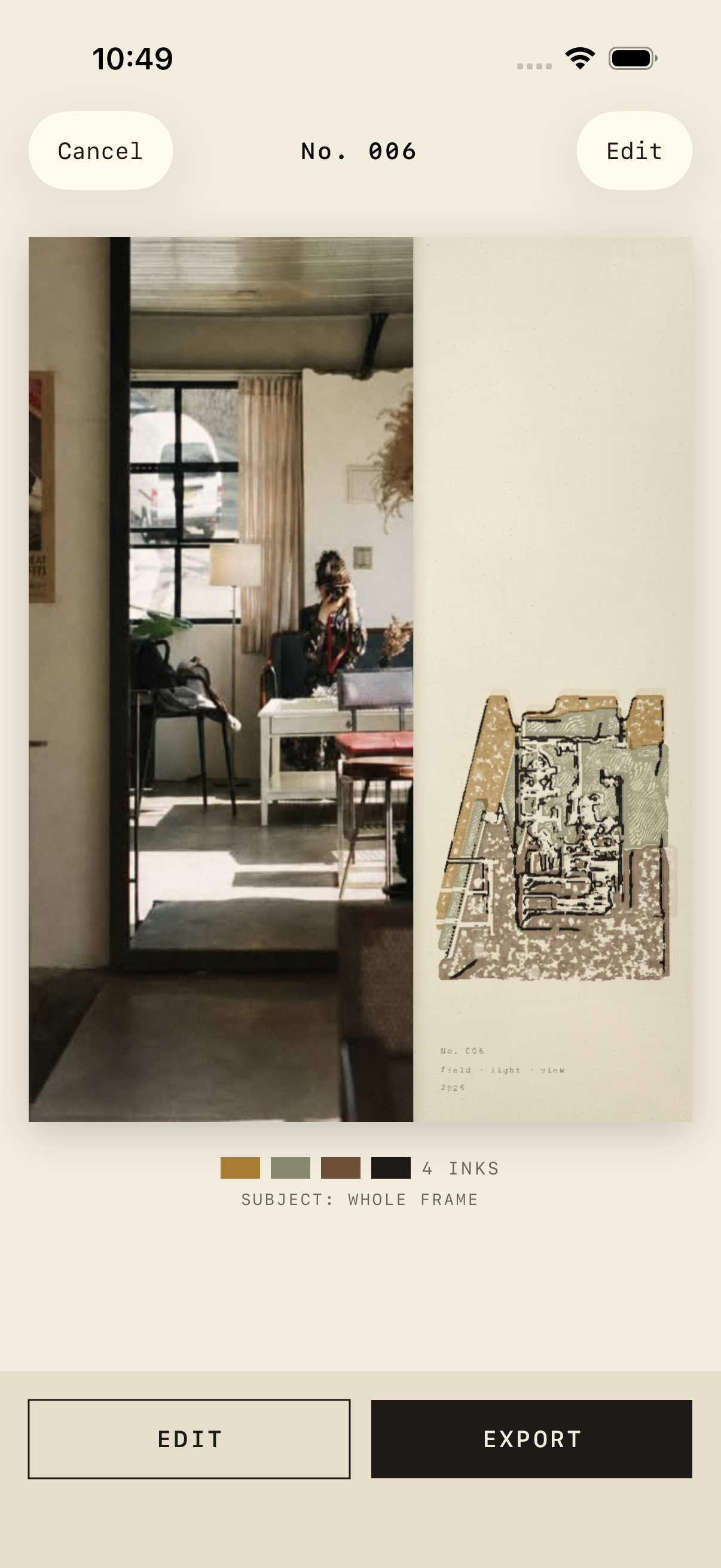
Choose one photo, check its rendering quality, then edit and export a poster.
The app inspects a chosen image before rendering. When a foreground mask is unreliable, it reports low quality instead of presenting a weak poster as finished.
A portrait, landscape, or note-led arrangement gives the selected image a clear place alongside title, location, number, and keywords.
Generated posters are kept in a local archive and exported as PNG. The final image is rerendered from the same seed rather than enlarged from a preview.
The app keeps the user in control of the photo, layout, and caption.
Choose one photo. The pipeline checks whether the subject can support the intended stamp treatment.
Choose one of three layouts, then adjust the field-note details before rendering.
Keep the poster locally or export a PNG for sharing and printing.
Illustrative workflow
Codex supports work on this prototype; it is not a feature inside the app. Claude Code is being evaluated for selected development and verification workflows.
We use the photo-selection flow, rendering modules, and quality-gate requirements to plan changes.
Rendering and UI work are kept separate, then library tests and export-path regression checks run against defined failure cases.
The resulting work focuses on telling a user when a photo is unsuitable and preserving a reliable route to edit or export.
The current prototype does not call the Claude API. Other Claude API ideas will be considered only after Findoc’s planned evaluation.
Poster generation is on device. Reverse geocoding can request a place name when GPS metadata is available.
Not yet. Physical-device performance, mask behavior on varied photos, and release-quality checks remain.
Product enquiries